

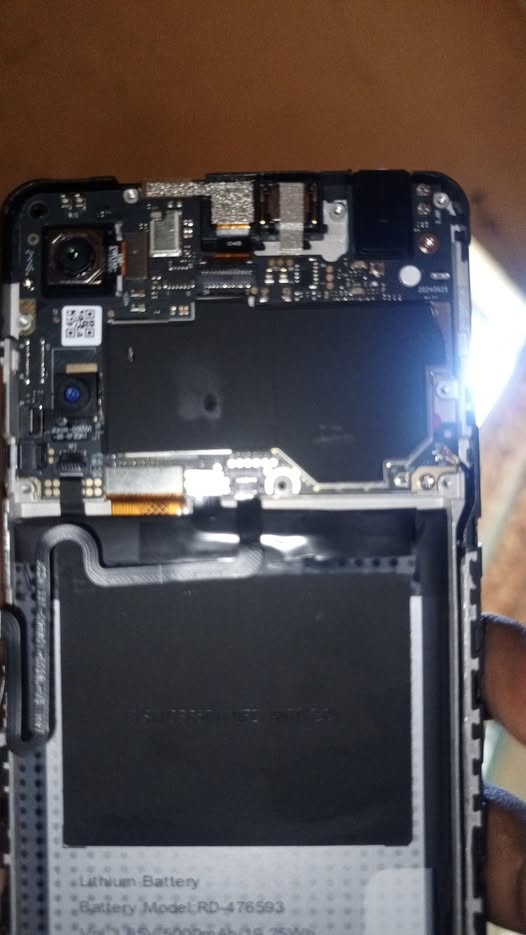
The MKOPA S34 is one of the most widely distributed pay-as-you-go smartphones in Kenya, Uganda, and other African markets. Due to security restrictions linked to MKOPA credit systems, users often encounter dead boot devices,bootloops and firmware issues.
For technicians, the most effective way to repair or restore the MKOPA S34 is by flashing it with a tested v11 dump file using Pandora Flash Tool.
This guide provides a safe working MKOPA S34 v11 dump file and explains how to use Pandora Tool to fix common firmware issues.
🔧 Why Use the MKOPA S34 v11 Dump File?

🛠️ Restores dead boot devices
♻️ Revives stuck or boot-loop phones
➕ Compatible with multiple MKOPA variants
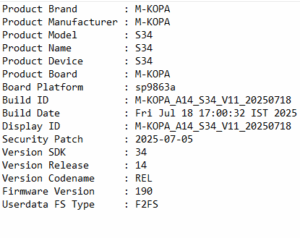
This dump file works perfectly with Pandora Tool, especially on SPD-based devices like the S34.
📍 Supported MKOPA Model & Version
| Device | Version | Chipset |
|---|---|---|
| MKOPA S34 | v11 | spreadtrum(SPD) |
🧰 Requirements
Before flashing, ensure you have:
✔ Pandora Flash Tool (latest version recommended)
✔ MKOPA S34 v11 dump file
✔ SPD USB Drivers
✔ USB Data Cable
✔ Windows PC (64-bit preferred)
✔ Battery charged at least 40%
📌 Optional but recommended: NVRAM/IMEI backup to avoid network loss.
🚀 How to Flash MKOPA S34 v11 Using Pandora Tool
Follow the steps below 👇
Extract the downloaded dump file using WinRAR or 7-Zip.
Open Pandora Flash Tool on your PC.
Click “RESTORE FROM BACKUP” and load the dump file from the dump folder.
Connect the powered-off phone while holding test point.
Wait for the successful completion message.
Disconnect and reboot the phone.
Your MKOPA S34 should now boot normally without restrictions.
DOWNLOAD M-KOPA S34 V11 DUMP here
PASS: edutech00
⚠️ Disclaimer
This firmware is meant for authorized repairs only. Unlocking a device without owner consent may violate device terms or local laws. Use responsibly.
Kenya Court News Today – Live High Court & DPP Updates click here 👉 /kenya-court-news-today